 Poygan Tech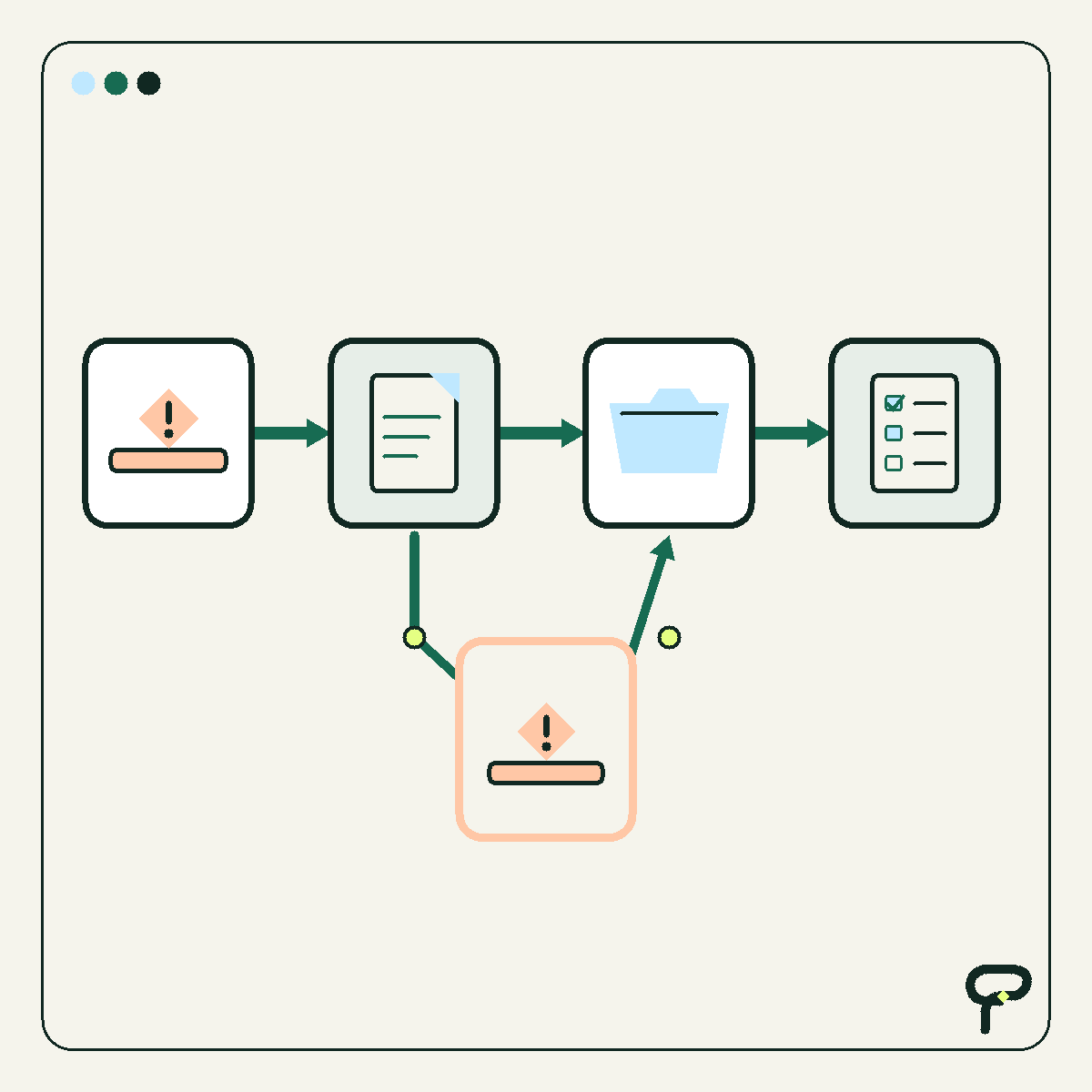
A new app can look like a clean answer to a messy process. Sometimes it is. Just as often, the app arrives before anyone has described what the work is supposed to do.
Before comparing features, draw four boxes: trigger, input, decision, and output. This is not a formal process-modeling standard. It is a plain-English map that helps an owner see where work begins, what information it needs, where judgment belongs, and what must exist when the work is finished.
That people-first starting point has support beyond software procurement. A 2026 NIST concept paper describes human-centered cybersecurity as putting people and their needs at the core of designing systems. The paper is about cybersecurity, while the broader software-selection lesson here is Poygan’s analysis: understand the people and work first, then choose the technology.
Draw the four boxes around one narrow job
Choose one workflow, not an entire department. “Handle a new service request” is narrow enough to examine. “Fix customer service” is not.
The trigger is the event that starts the work. It could be a submitted form, signed estimate, incoming email, missed call, delivery notice, or scheduled weekly review.
The input is the information needed to continue. That might include a customer’s contact details, job location, requested service, account status, due date, or attached document. Note where each input originates and who checks it.
The decision is the rule or judgment that changes what happens next. Is the request inside the service area? Is the record complete? Does a person need to approve the price? This box often exposes business rules that have never been written down.
The output is the observable result. “Processed” is too vague. An output might be an assigned task, scheduled visit, updated customer record, sent confirmation, approved order, or clearly labeled review queue.
- Trigger: What happened to start the work?
- Input: What information is needed, and where does it come from?
- Decision: What rule or human judgment determines the next step?
- Output: What must be created, changed, sent, or queued?
Test the map with a hypothetical request
Consider a hypothetical small Wisconsin service company. This is a synthetic teaching example, not a customer story or reported result.
The trigger is a website form submission. The inputs are the customer’s name, contact method, location, requested work, and preferred timing. The decision is whether the request falls inside the service area and contains enough detail for the next step. The output is either an assigned follow-up task with a due time or an exception placed in a human review queue.
Run three versions through the boxes: an ordinary request, an incomplete request, and an unusual request. What happens when the ZIP code is outside the service area? What happens when the phone number is missing? What happens when the request sounds urgent but does not match the normal categories?
Those variations help distinguish a software limitation from a setup problem. They may also reveal that the team has not agreed on a rule yet. Buying an app cannot settle a business decision that nobody has made.
- Normal case: complete request inside the service area
- Incomplete case: required contact or job information is missing
- Exception case: unusual work, timing, or location needs human judgment
Choose among four responses
Once the workflow is visible, compare the current tool with the four boxes. The useful question is not simply whether another app has more features. It is which response fits the named problem.
Configure the current tool when it already supports the workflow but its fields, stages, views, permissions, or notifications do not match the work. A required field, clearer status, or better queue may be enough.
Connect tools when each one performs a useful part of the workflow but people repeatedly carry stable information between them. For example, a form could create a record in a customer system. Before connecting anything, name the source of truth, the fields allowed to move, and what should happen when information is missing or the connection fails.
Replace the tool when it cannot support a necessary part of the workflow without fragile workarounds. Possible signs include inadequate access controls, no practical data export, an absent essential integration, or a record structure that cannot represent the work. Replacement should answer a limitation visible on the map.
Leave the tool alone when the workflow is dependable, its risks are understood, and the proposed change adds little practical value. Keeping a stable system is a real technology decision, not a failure to modernize.
- Configure: The capability exists, but the setup does not fit the work.
- Connect: Capable tools are separated by a repeated manual handoff.
- Replace: A required capability is absent or depends on a fragile workaround.
- Leave alone: The workflow is dependable and change would add more burden than value.
Keep people inside the decision box
A decision box does not mean software should make the decision. Mark each decision as rule-based, human judgment, or a combination.
Software might check whether a required field is present. A person might interpret an unusual request, resolve conflicting records, or approve an exception. In a combined decision, software can collect information or prepare a recommendation while a person remains responsible for approval.
NIST’s concept paper discusses people, their needs, and usability as central concerns in human-centered system design. Applied here, that suggests several practical questions: Can the person doing the work understand the current status? Can that person correct an error? Is responsibility clear? Is there a visible recovery path when the normal flow breaks?
These questions are Poygan’s application of a human-centered principle, not a claim that NIST endorses this four-box method.
- Who owns each decision?
- Can that person see the information used?
- Can an incorrect result be corrected?
- Where do exceptions wait, and who notices them?
Turn the drawing into a software brief
The completed map can become a one-page software brief. List the triggers, required inputs, decision owners, outputs, exceptions, and systems involved. Separate requirements from conveniences.
Then ask a vendor or implementer to demonstrate this exact workflow with realistic sample data. A broad feature tour will not show whether the software fits your work. Ask what happens when an input is missing, an approval is delayed, a connection fails, or a record must be exported.
Finish with one sentence: “When this trigger occurs, we use these inputs to make this decision and produce this output.” If the sentence remains fuzzy, pause the app search and clarify the work.
- Must have: Required to complete or control the mapped workflow
- Should have: Materially reduces effort or improves visibility
- Could have: Useful, but unnecessary for this workflow
- Exception plan: Defines what happens when information, automation, or judgment fails
Useful takeaways
- Map one narrow business workflow before comparing software features.
- Name its trigger, required inputs, decisions, and observable output.
- Test the normal path, an incomplete case, and an exception.
- Decide whether to configure, connect, replace, or leave the current tool alone.
- Identify which decisions belong to rules, people, or both.
- Use the finished map as a demonstration script for vendors and implementers.
One next thought
If the four boxes uncover a tangle of handoffs or unclear decisions, Poygan Tech can help turn the drawing into a focused software or automation brief.
ONE EMAIL · PERSONAL REPLY
Let’s find the right first step.
Leave your email. I’ll reply personally and help you figure out where to start.