 Poygan Tech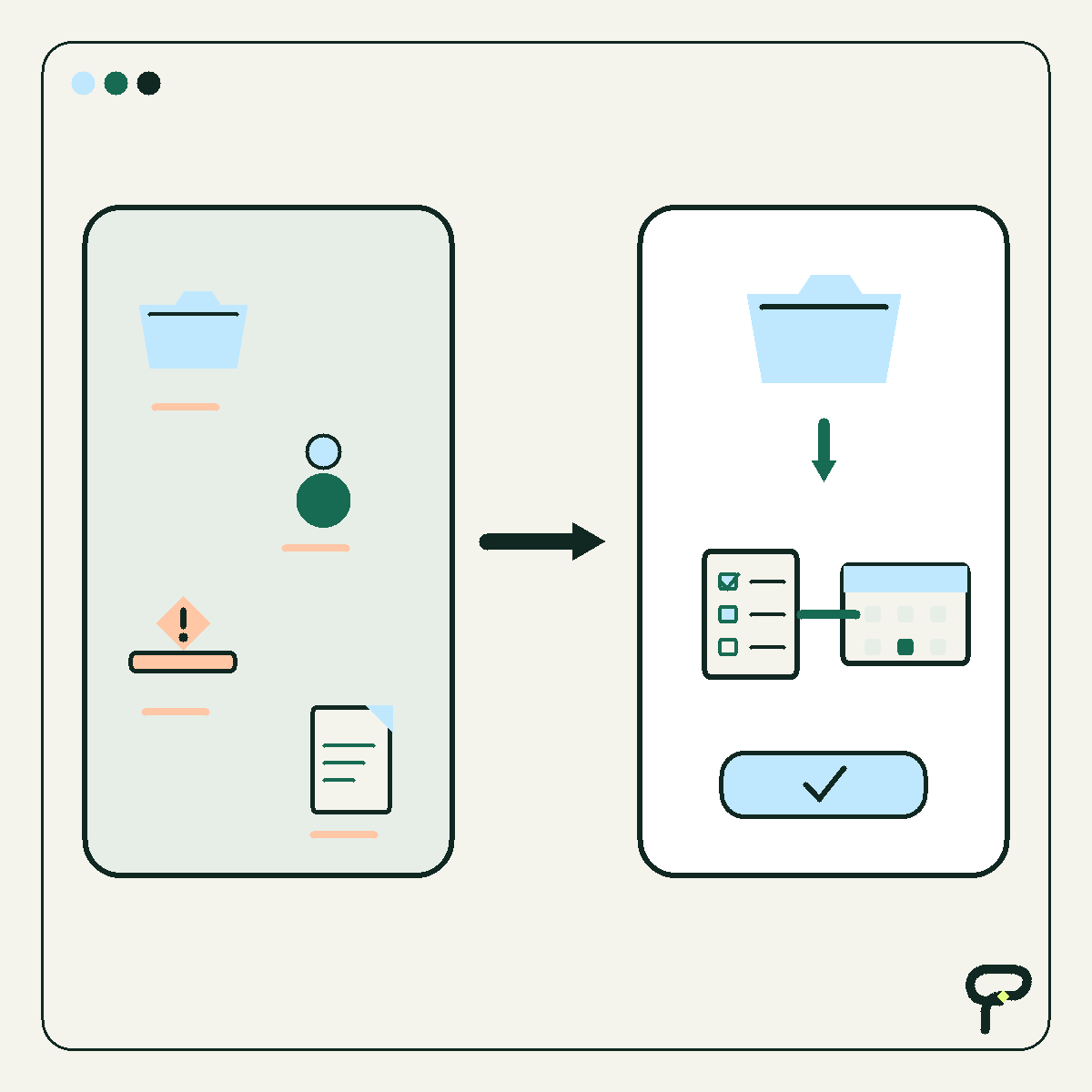
This is a hypothetical design, not a customer story or a report of an implemented system. The contractor, callers, messages, records, and examples below are synthetic. I am describing how I would think through the workflow before choosing or connecting software.
A missed call looks like a small event, but the useful workflow around it is not simply “send a text.” The system has to know what happened, whether follow-up is appropriate, which questions are worth asking, when a person should step in, and what must remain visible afterward.
The people-first principle matters here. NIST’s Human-Centered Cybersecurity program describes an approach that considers people’s needs and characteristics when creating processes and technology. Poygan’s application of that idea is straightforward: make the automation adapt to callers and office staff, instead of forcing both groups through a brittle script.
Before: one missed call becomes several disconnected tasks
In the hypothetical starting point, a caller reaches voicemail while the contractor is on a ladder, driving, or talking with another customer. Later, somebody listens to the message, writes a number on paper, asks for an address, decides whether the work fits, and copies some of that information into a CRM.
Nothing in that description proves the process is bad. It does reveal several handoffs where context can disappear. The call history lives in one system, the conversation in another, and the job record somewhere else. A second employee may not know whether anyone replied. A caller who asks to stop receiving messages may be remembered by one person but not represented in the workflow.
My goal would not be to automate every handoff. It would be to create one understandable path with a visible state: new missed call, follow-up allowed, waiting for caller, ready for human review, booked, closed, or opted out.
Start with permission and the call event
The trigger would be a completed inbound call event with a missed or unanswered outcome. I would not let every telephone event start the same automation. Answered calls, blocked numbers, obvious duplicates, existing open conversations, and numbers already marked as opted out would follow different paths.
Caller consent needs its own field, not an assumption buried in the workflow. For this hypothetical design, the system would distinguish between receiving an inbound call, having permission for the immediate requested follow-up, and having any broader permission for later promotional messaging. Those are separate states in the data model.
The first automated text would identify the hypothetical contractor, explain that it follows a missed call, and offer a simple next step. A synthetic example is: “Hi, this is North Pine Contracting following up on your missed call. What kind of project can we help with? Reply STOP if you do not want texts from us.” North Pine Contracting is invented for illustration.
This article does not make a legal conclusion about when texting is permitted. Before deployment, the business should have its proposed language, consent capture, retention rules, and messaging practices reviewed for the jurisdictions and services involved.
Ask job questions that change the next action
I would keep the automated interview short. Every question should affect routing, preparation, or the decision to involve a person. A roofing contractor and a plumbing contractor would need different branches, so the exact question set belongs in configuration rather than application code.
A useful synthetic sequence might ask for job type, service address or ZIP code, whether the situation is an emergency, whether the caller owns or manages the property, and the best time for a person to respond. The workflow should explain why sensitive or easily misunderstood information is being requested, and it should avoid collecting information the office does not need.
Free-text answers create uncertainty. If a caller writes “water everywhere,” the system should not pretend it has diagnosed the problem. It can mark the reply as potentially urgent, preserve the caller’s exact words, and place the conversation in a human-review queue.
The automation should also accept ordinary conversation. A caller who replies “Can someone just call me?” has supplied a valid instruction. That should end the questionnaire and create a callback task.
Office hours and reply timing are workflow rules
I would define office hours, holidays, after-hours behavior, and expected human response windows as editable business settings. They should not be hidden inside a prompt or scattered across several integrations.
During office hours, the first follow-up could be queued promptly after the missed-call event, with a short delay to avoid colliding with an employee who is already returning the call. Outside office hours, the message should accurately say that the office is closed and state when a person is expected to review the reply. The workflow must not claim that somebody is available when nobody is monitoring it.
Timing also needs duplicate protection. Several calls from the same number within a configured window should normally update one open conversation rather than launching several identical sequences. That is a proposed design choice, not a claimed universal rule.
I would cap automated reminders. Silence is not permission to create an endless sequence. After the configured final attempt, the record can remain available for staff without continuing to message the caller.
Escalate uncertainty instead of hiding it
Human escalation is a feature, not an automation failure. I would route the conversation to a person when the caller requests one, describes possible danger or urgent damage, asks something outside the approved question set, expresses frustration, supplies contradictory details, or receives repeated processing errors.
The handoff should contain a compact summary plus the original messages. The summary helps an employee scan the situation, while the unedited conversation lets that employee verify what the caller actually said. The system should label any machine-generated summary as generated, not as the caller’s own words.
The automation should not estimate a price, promise an appointment, diagnose a condition, or decide that an emergency is safe unless the business has created an explicit, reviewed process for that action. In this hypothetical version, those decisions remain with a person.
After: one CRM record and a visible audit trail
The CRM record would be created or matched using cautious identity rules. A telephone number can help locate a record, but the workflow should make uncertain matches visible instead of silently combining two people. The record would hold the call event, consent status, job type, caller-provided location, conversation state, assigned employee, next action, and relevant timestamps.
I would make the audit trail readable to office staff. It should show when the call arrived, which rule fired, which message template and version was used, whether delivery was reported, what the caller replied, which fields changed, when escalation occurred, and who later edited or closed the record. Access to that history should follow the business’s permissions and retention policy.
An opt-out reply would immediately stop the automated sequence, mark the number accordingly, record the triggering message and time, and prevent this workflow from restarting for that number. Ambiguous replies would go to a person rather than being interpreted aggressively. Re-entry, if the business permits it, should require an explicit and reviewable action.
The before-and-after difference is structural. Before, the office reconstructs what happened from several tools. After, the workflow proposes the next action while keeping permission, uncertainty, ownership, and history visible. That is the result I would design for. It is not a claim that this hypothetical system has been built or that it produced measured business outcomes.
Useful takeaways
- Label hypothetical designs and synthetic examples plainly; do not present them as customer results.
- Model consent as explicit data with separate states for immediate follow-up, broader messaging permission, and opt-out.
- Trigger from a specific call outcome and add protection against duplicate conversations.
- Ask only job questions that change routing, preparation, or human action.
- Keep office hours, holidays, response expectations, and reminder limits editable and visible.
- Escalate urgent, unclear, contradictory, frustrated, or human-requested conversations; never let an automated message imply that staff are monitoring when they are not.
One next thought
If your missed-call process crosses several tools, draw the states and escalation points before selecting an automation platform. Poygan Tech can help turn that map into a focused, reviewable build.
ONE EMAIL · PERSONAL REPLY
Let’s find the right first step.
Leave your email. I’ll reply personally and help you figure out where to start.