 Poygan Tech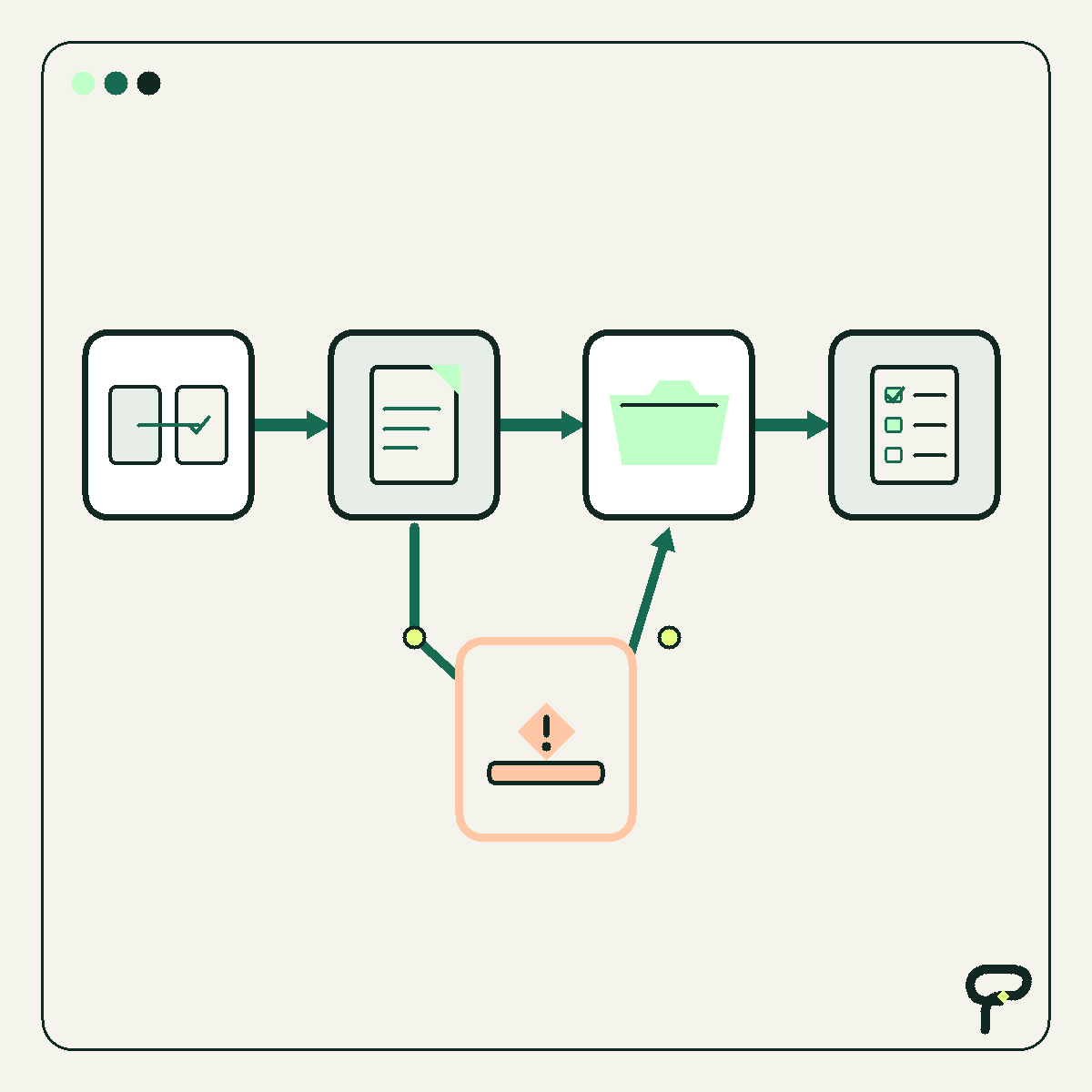
A promising automation can create an awkward kind of confidence. It handled the examples in the demo. It followed the happy path. Everyone can picture the time it might save. The tempting next step is to connect it to live work and see what happens.
There is a safer middle ground between a demo and full control. Let the automation observe real work, test it inside a deliberately small boundary, compare its proposed actions with the actions people actually approved, and keep the existing process ready to take over.
Google’s Site Reliability Engineering Workbook describes a related release practice called canarying: expose a change to a limited portion of a system, evaluate it against a control, and decide whether to continue or roll back. The workflow below adapts that general idea for ordinary business automation. The source provides the release-engineering principle. The specific checklist is Poygan’s practical interpretation for small teams.
Start with shadow mode
Shadow mode means the automation receives the information it would normally use and produces a proposed result, but it does not perform the consequential action. It might draft a customer reply without sending it, propose a CRM update without saving it, or recommend an invoice category without posting anything to the accounting system.
This is a Poygan working definition, not terminology taken from the cited source. The purpose is simple: test the automation against the shape and messiness of real work while a person remains responsible for the actual outcome.
Preserve both paths during the test. The team completes the work through the current process. Alongside it, the automation records what it would have done. If the automation can secretly change records, contact customers, create financial commitments, or delete information, it is not truly operating in shadow mode.
A useful shadow record includes the input the automation received, its proposed action, the reason or rule it used, any uncertainty or exception it detected, the person’s final action, and the time of each event. Sensitive information should be limited to what the comparison genuinely requires.
Put a fence around the sample
A test is safer when everyone can point to what is inside it and what is outside it. “Try it for a while” is not a boundary. Name the eligible workflow, the beginning and end of the test, the participating users, and the kinds of records the automation may examine.
For a hypothetical example, imagine a distributor testing an automation that proposes categories for incoming service requests. The bounded sample could include requests arriving through one shared inbox during ordinary staffed hours. Warranty disputes, payment questions, safety concerns, and messages containing unusual attachments could remain outside the test and go directly to a person.
This example is synthetic. It is not a Poygan customer result or a claim about a real implementation.
Choose a boundary that includes ordinary variation without exposing the whole operation. The boundary might be a selected queue, location, request type, or work period. Avoid choosing only polished examples. Misspellings, missing fields, duplicate requests, and unclear instructions are often where the useful lessons appear.
- Write down exactly which work is eligible.
- Exclude high-consequence and poorly understood cases.
- Name the people allowed to participate.
- Define when the sample begins and ends.
- Keep nonparticipating work on the established process.
Write the decision rules before the test
Success conditions describe the evidence required to consider a next step. Stop conditions describe what should pause the test immediately. Write both before reviewing the output. Otherwise, an impressive demonstration can quietly change the standard.
Success does not have to mean perfect agreement. It may mean that proposed actions consistently contain the required fields, the reasons are understandable to the reviewer, exceptions are routed correctly, and the team can reconstruct what happened from the audit record. The business owner should decide which errors are merely inconvenient and which are unacceptable.
Stop conditions should be specific enough that the operator does not need a meeting to interpret them. Examples include an attempted action outside the approved boundary, exposure of information to an unauthorized destination, a missing audit record, an unexplained change to a source record, or a proposal that could create a customer, safety, contractual, or financial consequence.
These are operating recommendations from Poygan, not guarantees from the source. Their purpose is to make the test interruptible before enthusiasm outruns evidence.
Keep the manual fallback warm
A fallback is not a document that nobody has tried. It is the current process, kept usable while the test runs, with a named person who can resume control.
Before the test, confirm how new work will be redirected, how partially processed items will be identified, and how the team will prevent duplicate actions. If the automation stops after drafting a reply but before recording its status, for example, the fallback needs a way to tell whether a person must start over or continue from a known point.
Do not remove access, archive the old template, or cancel the existing routine merely because the trial has begun. A reversible test preserves the tools, permissions, instructions, and staffing needed to finish the work manually. The person authorized to stop the test should also know how to activate that fallback.
Compare the audit trail, not just the final answer
A final output can look correct for the wrong reason. Compare the automation’s proposed path with the approved human path while the details are still available.
Review whether both paths used the same source information, recognized the same exceptions, selected compatible actions, and left enough evidence for another person to understand the decision. Record disagreements by type instead of collapsing them into a single score. A missing field, an unsupported assumption, an incorrect destination, and a harmless wording difference deserve different responses.
Google’s canarying chapter describes comparing a limited change with a control and evaluating selected metrics before deciding whether to continue or roll back. Poygan’s adaptation is to treat the existing human-controlled workflow as the comparison path and to include qualitative review where business judgment matters.
When the paths disagree, investigate before deciding that either side is right. The automation may have exposed an inconsistent manual practice. The person may have caught context that was never represented in the input. Both findings are useful because both point to work that needs clarification.
Require owner sign-off for the next boundary
The end of a test should produce a decision, not a vague feeling. Give one accountable process owner the comparison record, the exceptions, the unresolved questions, and the proposed next boundary.
That owner may decide to keep the automation in shadow mode, revise it and repeat the same sample, permit a narrow live action with human approval, or stop the project. Sign-off should state what the automation may do next, what it still may not do, who watches it, and which conditions return it to manual handling.
Approval for one boundary is not permanent approval for every use. Letting an automation save an internal draft does not automatically authorize it to send customer messages. Allowing it to update one noncritical field does not authorize it to overwrite an entire record.
A good test does not prove that an automation is universally safe. It gives the business a controlled way to learn what the system does, where it struggles, and whether the next small step is justified.
Useful takeaways
- Run the automation in shadow mode before giving it consequential control.
- Bound the sample by workflow, participants, exclusions, and a clear beginning and end.
- Write success conditions and immediate stop conditions before examining the results.
- Keep the existing manual process usable and assign someone to activate it.
- Compare inputs, reasoning, exceptions, proposed actions, and approved actions in the audit record.
- Require the process owner to approve the exact next boundary rather than issuing open-ended permission.
One next thought
If you are considering an automation, Poygan Tech can help turn the idea into a small, observable test with clear boundaries and a practical fallback.
ONE EMAIL · PERSONAL REPLY
Let’s find the right first step.
Leave your email. I’ll reply personally and help you figure out where to start.