 Poygan Tech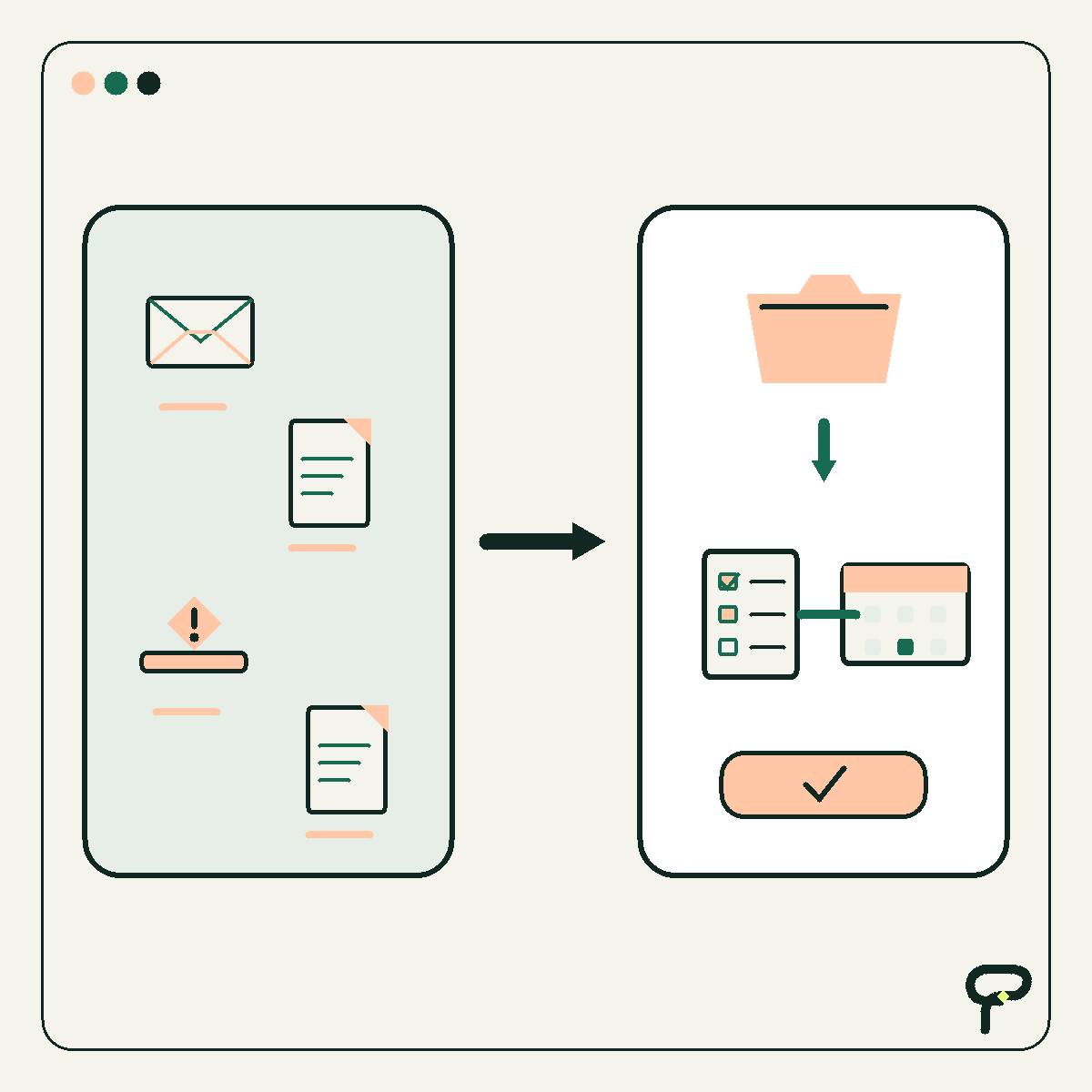
Most automation diagrams have a satisfying shape. Something arrives, a few rules run, systems exchange data, and a finished result comes out the other side.
Real work is less tidy. A customer record is missing an email address. Two systems disagree about a balance. A document cannot be read confidently. A request is valid but unusually risky. The automation cannot finish, yet silently discarding the item or guessing would be worse.
That is why I would give the workflow an exception queue: a visible place where unfinished work can wait without becoming invisible work. This is a design pattern, not a particular product. The useful question is not simply whether the automation can detect an error. It is whether the team can understand, own, and recover the work afterward.
A failed step and a business exception are not quite the same
Technical platforms already provide mechanisms for handling failures. AWS Step Functions, for example, documents retry rules for attempting a failed state again and catch rules for moving execution to a different state when an error is not retried. That source establishes what the platform can do. The queue design below is Poygan’s analysis of what a business team still needs around those mechanics.
A retry is appropriate when another attempt could reasonably succeed, such as a temporary service interruption. Repeating the action is less useful when the input itself needs attention. A missing purchase-order number will probably remain missing on attempt number six.
I find it helpful to reserve exception for work that needs a decision, correction, approval, or other human recovery action. That separates it from a short-lived technical failure that the system can safely retry by itself.
Before: the item falls out of the happy path
Consider a hypothetical invoice workflow. This example is synthetic and does not describe a Poygan customer or result.
An invoice arrives. Software reads it, finds the vendor, compares the amount with a purchase order, and sends an approved record to the accounting system. The diagram looks complete until the vendor name matches two records or the invoice total differs from the purchase order.
A weak implementation might stop, write an error to a technical log, and send somebody an email. Now the team has several unanswered questions. Who owns the item? When should it be checked? Is the problem missing data or a risky mismatch? Can the person repair it, or must somebody approve an override? After repair, where does processing resume?
The automation detected the problem, but the business process lost custody of the work. A log can help a developer diagnose software. It is not automatically a useful worklist for the person responsible for resolving an invoice.
After: divert, explain, recover, and rejoin
I would add an explicit exception route beside the normal route. When the workflow cannot proceed safely, it creates one durable exception record and links that record to the original item. The normal processing state becomes waiting for review rather than vaguely failed.
The queue should be visible to the people expected to act on it. A reviewer opens an item, sees why it stopped, performs the allowed recovery action, and returns it to a defined point in the workflow. If the item cannot be resolved, the reviewer should be able to close or escalate it with a recorded reason.
That rejoin point matters. Sending every corrected item back to the beginning can duplicate messages, charges, records, or approvals. The recovery design should identify the earliest safe step to resume and make repeated execution harmless where practical.
- Divert the item before a risky guess or irreversible action.
- Preserve the original record and relevant processing context.
- Show the reviewer what stopped and what action is allowed.
- Resume at a defined safe step after the issue is resolved.
- Record the resolution so recurring exception types can be studied.
The five fields I would not omit
A useful exception record can contain more detail, but five fields make a strong minimum.
Owner identifies the person or role currently responsible. A shared queue may receive the item, but ownership should become explicit when somebody starts work.
Deadline says when attention is due. This may be a review target or business deadline rather than a promise generated by the software. The team should decide what happens when it passes.
Reason explains why automation stopped in language the reviewer understands. Stable reason codes help with reporting, while a short explanation provides context. Both are useful.
Recovery action tells the reviewer what can happen next: supply missing data, choose between conflicting records, request approval, retry a safe step, escalate, or close without processing. The available actions should be narrow enough to prevent accidental improvisation inside a sensitive workflow.
- Owner: who has custody now?
- Deadline: when does this need attention?
- Reason: what prevented safe completion?
- Recovery action: what permitted step moves it forward?
- History: what has already happened, and who changed what?
Route exceptions by meaning, not just severity
One giant error inbox tends to mix unrelated work. I would start with four plain categories and adapt them to the process.
Incomplete means a required value or document is absent. Conflicting means two credible inputs disagree. Risky means the action exceeds a boundary the team chose, such as an approval threshold or an irreversible change. Low confidence means software produced an answer but did not meet the workflow’s chosen standard for acting automatically.
These categories suggest different recovery actions. Missing data might go to the person who gathered the request. A conflicting customer identity might go to an operations owner. A risky payment change might require a separate approver. Low-confidence document extraction might call for comparison with the original document.
Confidence deserves care. A score does not explain consequences. The threshold for suggesting a filing category can reasonably differ from the threshold for changing a payment destination. The workflow designer should connect review rules to the harm of a wrong action, not treat one number as universally safe.
Build the queue as part of the workflow, not as cleanup
I would test the exception path alongside the happy path. Give the workflow a missing field, conflicting records, a temporary service failure, an expired deadline, and a reviewer who is unavailable. Then observe whether every item remains findable and whether another authorized person can understand the next step.
The queue also needs a small operating routine. Someone should review unassigned and overdue items. Reason codes should be checked for vague catch-all values. Repeated exceptions should trigger a process question: can the input form, integration, rule, or training be improved?
The goal is not a queue with zero items. A safe workflow may deliberately send ambiguous or consequential work to people. The more useful measures are whether exceptions have owners, whether aging is visible, whether recovery is reliable, and whether recurring causes lead to sensible improvements.
An automation diagram is incomplete when it only explains success. Add the place where uncertain work waits, and the diagram starts describing the business that people actually have to operate.
Useful takeaways
- Separate temporary technical failures from business exceptions that require a decision or correction.
- Create a durable exception record instead of relying only on logs, email, or chat notifications.
- Include an owner, deadline, reason, recovery action, and history on every queued item.
- Design the safe rejoin point before releasing the automation.
- Test missing, conflicting, risky, and low-confidence cases deliberately.
- Review aging and recurring reason codes so the queue improves the process instead of becoming permanent storage.
One next thought
If an automation diagram on your desk has only a success path, add one exception box and define those five fields before building further. Poygan Tech can help turn that sketch into a focused workflow when a second set of practical eyes would be useful.
ONE EMAIL · PERSONAL REPLY
Let’s find the right first step.
Leave your email. I’ll reply personally and help you figure out where to start.